Nude mod

Nude mod, nude patch and nude skins forum
Home Page FAQ Team Search
Login 
View unanswered posts View active topics  

Delete all board cookies

All times are UTC [ DST ]


New Topic Post Reply  [ 366 posts ]  Go to page
 Previous << 
1 ... 7, 8, 9, 10, 11, 12, 13 ... 37
 >> Next 
  Print view
Previous topic | Next topic 
Author Message
Posted: Thu Nov 18, 2010 9:50 am 
Gamer Lv:0 Exp:0%
Gamer Lv:0 Exp:0%

Joined: Thu Nov 18, 2010 8:52 am
Posts: 2
all I did was turn ignore material option on and set its value to 1, then go into blender and load my previous edited .m2i from before, re-exported it with the new scripts from the M2M tool, took the 4.0 m2 from oldworld and merged the new .m2i to the 4.0 m2. my bloodelf has no bad textures, no animation freezes, and a shadow.

so basically I advise ppl to do the mothod 1 to apply your old favorites into the new style:
1, extract the new .m2 from oldworld
2, use the new M2M tool and make a fresh extract of .m2i from your old desired model
3, set ignore material value to 1 and merge the .m2i into the new oldword .m2 file

I don't know if this work on other models but at least it worked for the bloodelves.

Edit: Actually I just noticed, my eyebrows are messed up and changes with the colour of my armor. but that's the only thing different.

Edit2: Using method 2 and linked the new eyebrow to the old one and worked out just fine.


Top


Posted: Thu Nov 18, 2010 4:58 pm 
User avatar
Gamer Lv:0 Exp:0%
Gamer Lv:0 Exp:0%

Joined: Thu Nov 18, 2010 4:01 pm
Posts: 2

redaxle wrote:
Make sure the skin files are also present in the same folder as the M2.

I also uploaded v0.1.1 and it has more detailed error messages so it should be easier to figure out what's going wrong.

Sorry for being dim-witted about all of this, but what skin files? Which files do I need to move from where and to?


Top
   
 
Posted: Thu Nov 18, 2010 10:07 pm 
Gamer Lv:0 Exp:0%
Gamer Lv:0 Exp:0%

Joined: Tue Nov 02, 2010 6:28 pm
Posts: 2
Just wanted to say thanks for the blender tool, I love blender and am glad to see tools for it.

I do have some things to say though.

One, the guide states you can delete the armature from your model, thats not true because i found that blender does not let you export an m2i with no armature attached.

The second one is a question, I am making a simple mod to draenei females, I was trying to "clone" some of the horns and hairs into one of the other sub meshes, an example given below
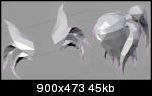
Re: M2Mod tool + Cromon's Injector (v4.03)(2011.01.14)

I simply took the original sub meshes, cloned them and then moved the ones that were not being added to, to a different layer.

I then deleted the parts that i didnt want to add to my mesh, and just kept the ponytails for example, sticking them to the other sub mesh

I adjusted the bone groupings accordingly so that they all fell within 4 groups, (bones referenced by the hair and horns, which puts them anchored to the head where i want them). As far as i know, since these ponytails were cloned from meshes with appropriate weighting and bone attachments, they should do just fine on their own

The problem however....

Re: M2Mod tool + Cromon's Injector (v4.03)(2011.01.14)

becomes obvious when i view the model in WMV, it looks like my draenei turned into a giant trash bag.

Any ideas whats going on? are we not allowed to "create" additional parts onto an m2?

I know TP's high res tool required you subdivide things into new sections if you wanted to add geometry, but given the description of this tool i thought sucha restriction wasnt required. Was I wrong?

EDIT for clarification:

Interestingly it appears that the geometry i added is doing just fine, the screenshot seems to look like the body itself fell apart after the conversion out of m2i format. and also, I used the same (working) m2 from my export to m2i, to repack into m2 with m2mod.exe so i know the base model hasnt changed.


Top
   
 
Posted: Fri Nov 19, 2010 4:24 am 
Gamer Lv:0 Exp:5%
Gamer Lv:0 Exp:5%

Joined: Sun Oct 31, 2010 11:54 pm
Posts: 5

redaxle wrote:
K updated, it's out now. Now at version 1, and I took of the beta tag.Thanks so much, i can start working on HD anims for Sophie now. Re: M2Mod tool + Cromon's Injector (v4.03)(2011.01.14)

Altho i regret my silly chattering, if it offended u, while u were working on your own mods. Sorry. It just burst out of me.
_________________
The Sculptor

Why do i feel like its springtime already?


Top
   
 
Posted: Sat Nov 20, 2010 7:32 am 
User avatar
Gamer Lv:0 Exp:5%
Gamer Lv:0 Exp:5%

Joined: Fri Oct 29, 2010 2:28 pm
Posts: 7

reddog78 wrote:
Has anyone discovered if 2.55b Blender works well with the old files or is 2.49 still recommended?
there only is a plugin for 2.4


Top


Posted: Sat Nov 20, 2010 2:42 pm 
Gamer Lv:0 Exp:5%
Gamer Lv:0 Exp:5%

Joined: Sat Oct 30, 2010 2:45 pm
Posts: 5

veldrin wrote:
Install of the visual studio 2010 redistributable i linked a few posts above, it should work after that.
I use to have same problem.

well...

i downloaded and executed http://www.microsoft.com/downloads/en/d ... laylang=en

but result is same...


Top
   
 
Posted: Sat Nov 20, 2010 7:15 pm 
Gamer Lv:0 Exp:0%
Gamer Lv:0 Exp:0%

Joined: Sat Nov 20, 2010 6:18 pm
Posts: 4

STMN wrote:

Huzzah! Was hoping someone well-known would do it to put everyone's mind to rest.

Now we just gotta wait for someone to come here and say you're going to take advantage of everyone's trust to trojanize everyone. Yep, just wait for that post Re: M2Mod tool + Cromon's Injector (v4.03)(2011.01.14).
Knowing jost, I doubt he'll disappoint. And then his post will get reported and we'll move on! Re: M2Mod tool + Cromon's Injector (v4.03)(2011.01.14)


Top
   
 
Posted: Sun Nov 21, 2010 9:26 am 
Gamer Lv:0 Exp:0%
Gamer Lv:0 Exp:0%

Joined: Thu Nov 18, 2010 4:18 am
Posts: 3
with cataclysm models "IgnoreMaterials = 0" currently has to be used
otherwise the hair will have the texture of the face


just saying in case someone has the same problem


Top
   
 
Posted: Sun Nov 21, 2010 12:36 pm 
Gamer Lv:0 Exp:0%
Gamer Lv:0 Exp:0%

Joined: Sun Nov 21, 2010 11:38 am
Posts: 2
Yeah I learn about that this morning the hard way lol But I keep both M2MOD tools for 3.3.5 and 4.0.1 Re: M2Mod tool + Cromon's Injector (v4.03)(2011.01.14) till I have all my models up to date for 4.0.1.

Last edited by on Fri Nov 12, 2010 1:54 am, edited 1 time in total.


Top
   
 
Posted: Mon Nov 22, 2010 2:39 am 
User avatar
Gamer Lv:0 Exp:5%
Gamer Lv:0 Exp:5%

Joined: Wed Nov 03, 2010 11:19 pm
Posts: 8

wnxmegax wrote:
My blender is at 2.49b version I using the import/export scripts of the ones posted in 3.3.5 and my python is at 2.6.6
so what am I missing the new scripts?
Can you link the updated scripts pls

Lol silly me the scripts are in the tool hehe well I got it working does this work for older models too? ok nvm answer my own question again Re: M2Mod tool + Cromon's Injector (v4.03)(2011.01.14). Now to make that bloodelf Re: M2Mod tool + Cromon's Injector (v4.03)(2011.01.14)

The new script will import all older models as m2i format. But when you export them they are only 4.0 compatable with the new script. If you want to use the model on an older client then you need to go back to the older script. if you still have it.


Top
   
 
Search for:
Display posts from previous:  Sort by  
New Topic Post Reply  [ 366 posts ]  Go to page
 Previous << 
1 ... 7, 8, 9, 10, 11, 12, 13 ... 37
 >> Next 

All times are UTC [ DST ]

 
  • Related topics

Who is online

Users browsing this forum: No registered users and 0 guests


You cannot post new topics in this forum
You cannot reply to topics in this forum
You cannot edit your posts in this forum
You cannot delete your posts in this forum
You cannot post attachments in this forum

cron
Not able to open ./cache/data_global.php








