ScDK wrote:
Now, what i would like to know...any particular trick to edit several meshes at the same time? I want to adjust the hips,
gloves and boots, as changing the body would obviously affect the clothing. Modifying the meshes one by one will obviously create nasty clipping errors or holes.
What I do when I need to edit the waste for example, is change one mesh to my liking, then when adjusting the other meshes, set the vertex to snap to the verteces that I moved on the first mesh. From memory the button looks like a magnet, and you need to hold ctrl or something :S sorry I'm not making much sense, been a long day, lol, hope that was somewhat helpful though.
Edit: after about 30 seconds it took me to realise that made no sense at all, I did a little guide. Hope it helps :)
Make sure the snap button is toggled (Shift Tab)
Select the vertex you want to move (even if it's in another mesh)
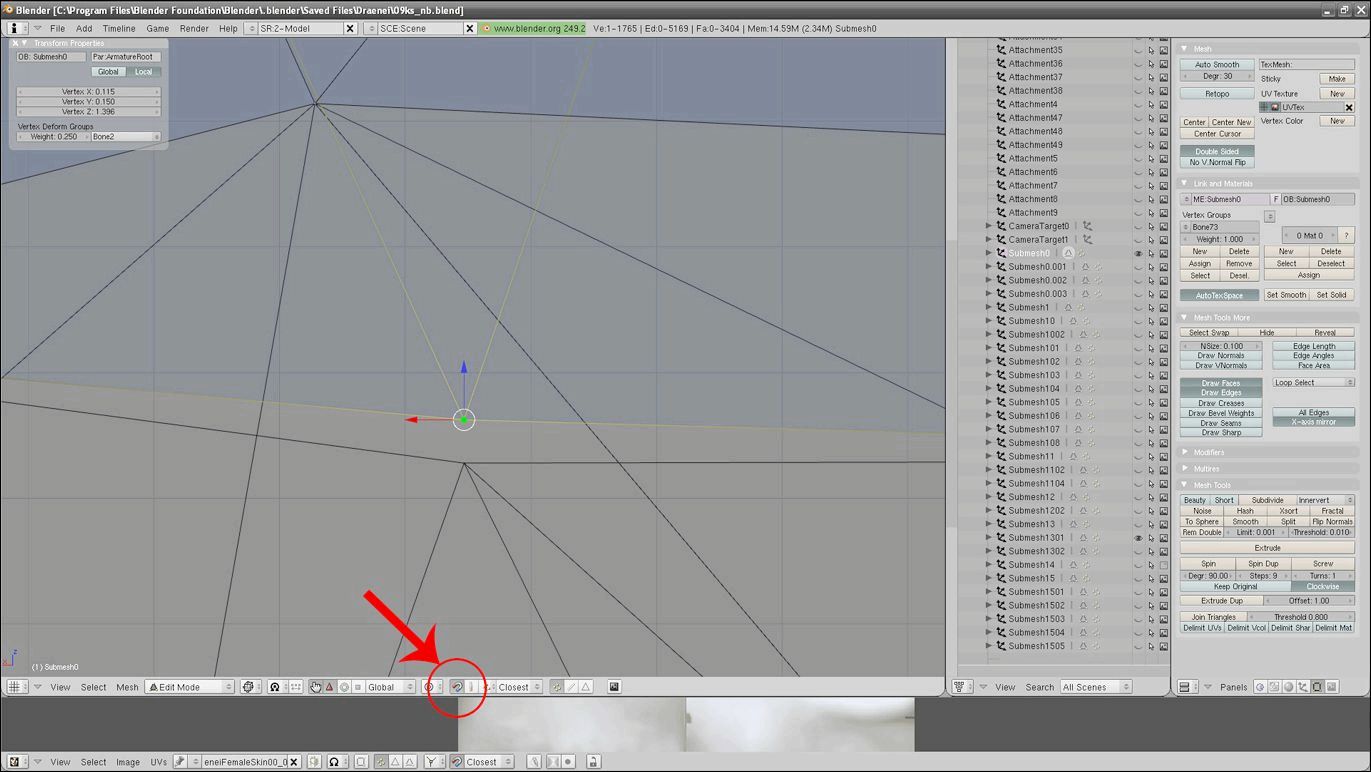
Grab the vertex to move it (G)
Place you're cursor over the vertex you want to snap it to.
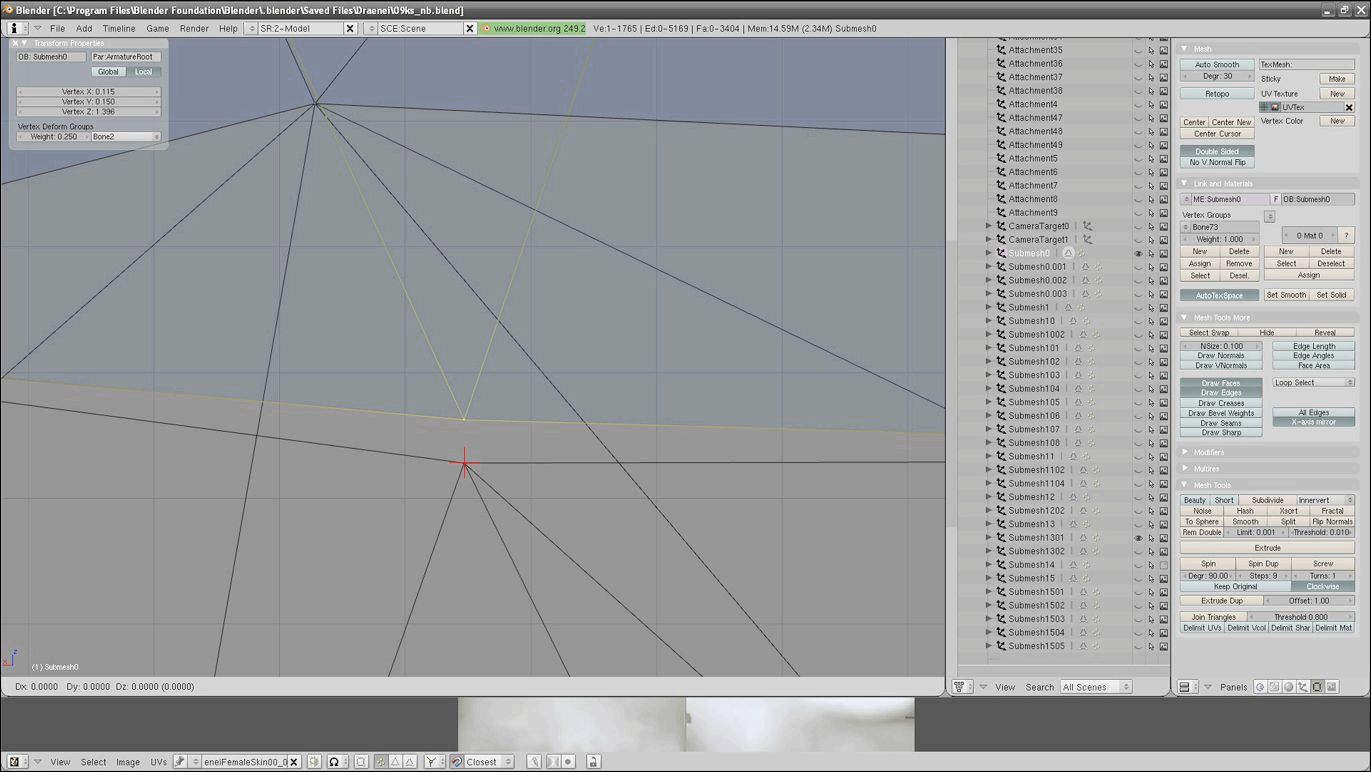
Hold ctrl then left click.

That"s the only way I know, but it works well and you end up with seamless joins.
_________________
Ry






















 we'll see about cataclysim, i'm not looking forward updating for it.
