Well...ok, using WMV's Model Control window I determined that on Belf females the spiky upper leg geoset is #44. Then I ran my tool on the model with the GEOSETDETAILS PrePrint option on, which puts this in the logfile:
----------------------------------------------- View 0, 64 geosets @ 0x19CD0 30543 tris 7424 indices lod=256
The id of #44 is 1104, which sounds about right. (The name in the last column is only a guess.)
And nothing can be done about the vert limit: that is the biggest number an unsigned 16 bit integer can be, and that's what the model file format uses. _________________ Skins: Links:
I used your tool as instructed, but when I was converting back from .OBJ I got an error saying that the .m2 and the .OBJ had different values of vertexes
I deleted several vertexes on the .OBJ file that were unnecessary, if anything, it should make the model more compatible. Idk. Is there some way to bypass this error? And/or can I somehow import a pure .m2 file to 3ds max to edit the vertexes to that the values are the same??
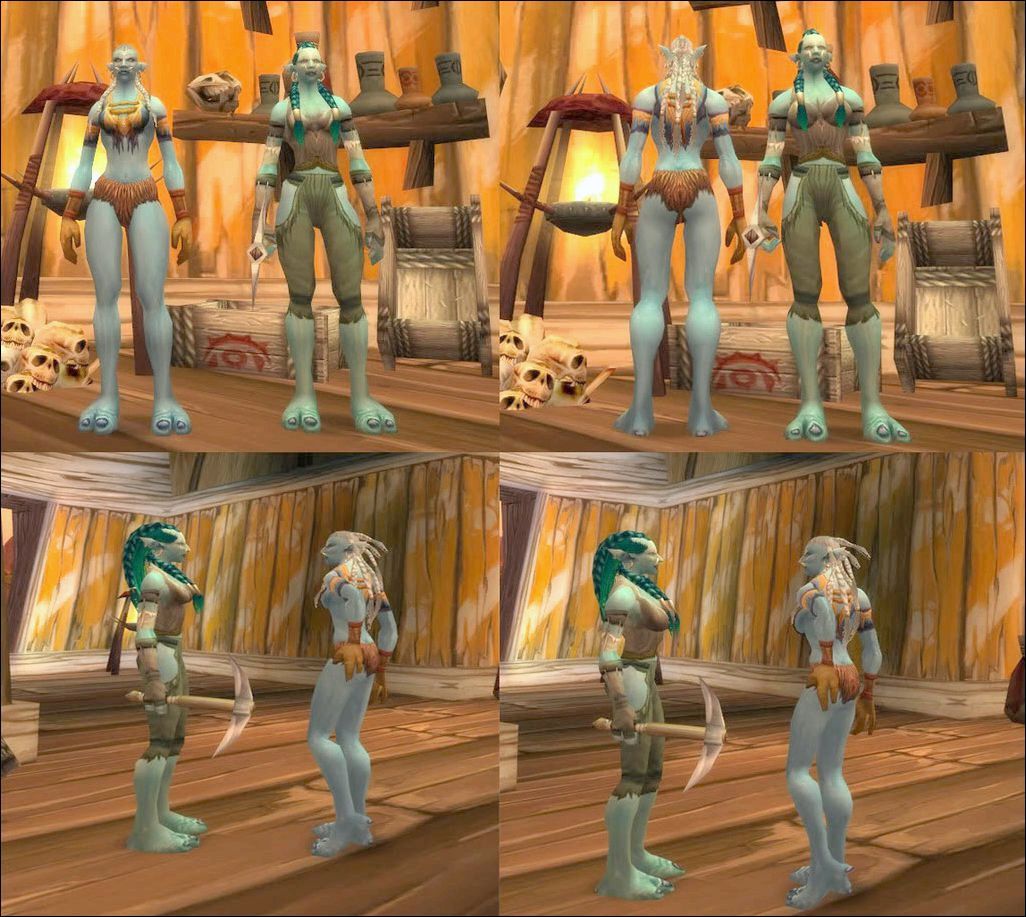
Hello, There haven't been many examples of what was rendered possible by the Hires tool although many seem interested. I've played around with it and reworked the existing female troll model which I found lacking. I didn't wan't to make a topic or anything as it is modest stuff and not particularly kinky. I used a simple one-pass enhancement without further localized polygon densification, I tried but couldn't get anything satisfying out of it myself as I lack 3ds experience and have seizures when confronted to dense meshes. I tried to make the model look more, well, troll like, I enlarged the shoulders and buffed up the torso section, which gives it a more athletic look. I also smoothed the arms and legs, and gave in to the traditionnal boob job (it works fairly well with the naked patch btw).
There are a few tricky steps in the process that should be noted. Pretty Obvious stuff really but the apprentice that I am had trouble dealing with them. The original Hirestool settings don't enhance the "robe" parts, so modifying vertice organization on the torso/leg intersection will cause slight texture displacement at that location when wearing a robe type item. Also, the upper back section disappears when capes are displayed, it is crucial to adjust cape placement to the torso edges and make the shape coherent if you modify the base aspect, and its tricky too because capes aren't enhanced by default (don't know if its possible, haven't checked)
It remains quite hard to make big changes because of the original skinning, however yertices seem to retain logical bone influence when moved, so if you maintain coherence between vertices (while slightly lengthening the arms for instance) there's a chance that it will work ok. Troll female skinning sucks hard, especially the shoulders and upper arm section, the base model is glitchy as hell and the changes I made kinda amplified the existing problems. I considered it worth it though.
There still are problems, might be some seams remaining here and there, some haircuts I didn't adjust and other unexpected stuff, sorry about that, I'm not showing it off as a finished product.
Anyway, thanks a lot for the tool (and the PM clarifications) Trollpaxton, and Densetsu for the advice, I really had fun doing it and even if it is nothing spectacular, it's still nice to know that it is possible to try and improve the game's visual appeal. I am also eager to try out your new programme, as retaining Uv info would make managing texture layout way more comfortable in 3ds.
Cheers.
(THe MPQ)
EDIT 29/08 : I forgot to update this version to the more recent one :
It is smoother and even includes a new haircut (replacing one that got messed up during the editing) MP feedback always welcome.
LAST VERSION EDITED 29 / 08 SS
Last edited by on Fri Aug 29, 2008 6:10 pm, edited 8 times in total.
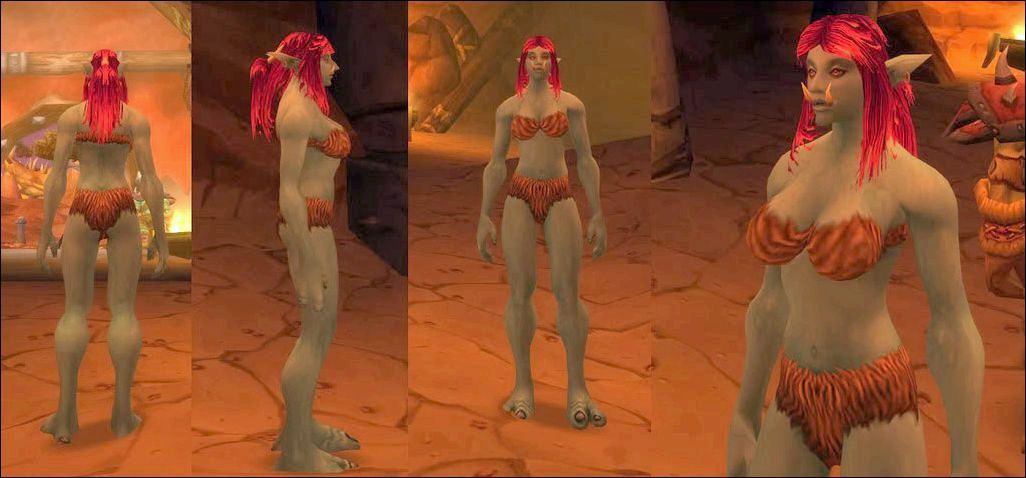
While I'm still unable to load textures into 3ds of the model (Anyone who knows how, please help? haha) I have been able to get polygon count increase along with getting the model to play in the game.
I'm having trouble 'smoothing out' the breasts, as there seems to always be small lumps that I keep missing, I'm hoping having textures will help that, or maybe my method of adjusting each vertex separately is the wrong way to be going about it. I figure once I get it smooth, I should be able to take a row of vertecies, and move them in and out for a basic "type 1,2,3,4" for people.
I did notice an odd glitch/error when I ran densetsu's NE model through the program hoping I could learn something from how he set it up.(was using it just as a converter, no polygon count changes)
As such, I didn't really try to look over the breasts too much. haha
So in short: -How do I load the textures on the model in 3ds -Any tricks I can do to ease 'smoothing out' the breasts? I'd run an algorythm that'd do it, but 3ds doesn't have a place to put that in. -Do the textures align only with the original vertecies? -Any idea why none of the m2 files I make load in WMV? The program just closes out anytime it tries to load them.
Stalgondo wrote: Will you still be working on a hi-res model tool for V3? I'm not bothered by having to re-do some modeling work (I still have the coordinates for the vertices I changed, so it wouldn't take long to get everything back into proportion).
Nobody has reported problems with that "alpha" version I posted a while ago, so you should be good to go with it. _________________ Skins: Links:
Would I be able to take current .m2 files and just drop them into the application and have it 'smooth' out things? I don't have access to a model editing program, but I'd like to keep the model change sizes etc the same, but smooth them out more.
Otherwise I suppose I can ask one of the model editors and hope they're nice. haha
Trollpaxton wrote: So, I have to abandon the v2->v3 converter, I'm afraid. Sorry folks, I gave it my best.
You know, the Draenei model was really the only one I was really happy with anyway, so I don't mind redoing the others. I think I'll have time tomorrow to work on this a bit so there should be a new release coming soon. _________________ -------------------------------------- Looking for larger breasts for your W0W characters? no further!
u wont belive this but now im using autodesk 2009 and when i import an obj and export it without doing a single thing to the model i still end up with a diviation of 80 verts out of near close to 9000 i realy need some1 to explain to me which options to check / uncheck when i import and export so if some1 can spare 2 min and post it id like that so i can start making models well more to say finish making them..... its hard to edit with this i keep geting deformed results even if i manage so how to get same verts all i did this time is move 1 group of verts up... i realy need to know how to import/export properly......
You definitely remembered to reduce the views, right? If you did and it still crashes, please send me your obj, m2, .skin files, and your .ini file. _________________ Skins: Links:
Users browsing this forum: No registered users and 0 guests
You cannot post new topics in this forum You cannot reply to topics in this forum You cannot edit your posts in this forum You cannot delete your posts in this forum You cannot post attachments in this forum