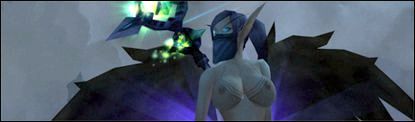
ahh well still is frickin awesome man...Lookin forward to your next ones...hehe do a extra special good job on BE's hehe i have a skin now that ima say its goin to be hard to beat so we'll see =D im sure you'll do an awesome job
Managed to get all skins working, however there is a problem with the BE animation freezing, although a minor problem, any idea how to fix that? Or when it can be? Great work dyable!
Rhyxali wrote: Code: Is there a chance for a moderate Version of the Patch? ( like M-Size? )
The NE?s looks all like Dolly Buster, it?s a little too big i think.
A fourth Version with a little less Size would be beautiful :D
Greets Zero
I agree with this. The 'smallest' size available is nice just not when you're wearing any armor or such like that. A bit of a smaller size would be -perfect- but just getting the current models updated to 4.0.1 when available would be fantastic.
I sometimes think the same thing, but am afraid that anything smaller may look disproportionate. Specifically the human female, I use the smallest boob size and I think if they were smaller, they might not look that great. But, then again, I can't judge until it exists. I do wish there was a "medium" size, but I won't lose sleep over it if it never happens. _________________
Jessy wrote: I'm confused as to how to get these skins and breast model edits to work in WoW. Since I'm very rusty from not skinning for a good few months and with the recent 4.0+ patches coming out to cause MPQ files to not work, how am I able to get these folders to work?
If someone could reply with a simple step-by-step procedure of how to do this, that be most helpful.
It's already been attempted many times by others to list detailed proceedures but I suppose there are those who need the "for dummies" version of it.
1. goto this site and download the latest version of ladik mpq editor, extract it, and run it. 2. goto file-->open MPQ and browse to the patch file you wish to use. 3. once opened, right click the first sub folder in the drop down and choose extract. Just click okay for simplicity after that. 4. there will be a new along side the mpq editor .exe file probably named "work" 5. rename the "work" folder to "patch-X.MPQ" or what ever letter you wish to use. Then copy and paste this folder like a patch mod into your data folder. 6. restart your wow client and enjoy.
Hope that helps.
On another note, is anyone else having problems getting the loading screen patch to work or is it just me?
Ragzan wrote: Awsome mods, but I have a little problem. When I download the mod I get a bunch of RAR files to chose from, then when I chose I get a bunch of folders, so I assume Im supposed to turn them into a MPQ myself, but every time I try it wont work, either crashing game or doing no change.
Is it possible that you could put the MPQ's themselves up for download? ^^
why would you have to put them in MPQ?, if you do so they aint gonna work in game anymore.
just instal them like this way...
C:\World of Warcraft\Data\Patch-X.MPQ\Character\Draenei\Female C:\World of Warcraft\Data\Patch-X.MPQ\Character\Dwarf\Female
and so on...
Last edited by on Mon Oct 25, 2010 3:22 pm, edited 2 times in total.
Users browsing this forum: No registered users and 0 guests
You cannot post new topics in this forum You cannot reply to topics in this forum You cannot edit your posts in this forum You cannot delete your posts in this forum You cannot post attachments in this forum