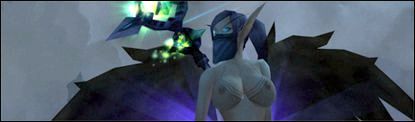
I'd really like to give this mod a try. When I apply it the modified female race simply seems invisible. I tried applying it to the Model viewer and the same thing happens. I tried removing all other mods and still does the same thing. Am I missing something? I'm using other model mods that seem to work fine but certain ones like this one seem to be glitched for some reason.
Last edited by on Sat Apr 10, 2010 7:13 am, edited 1 time in total.
Can't believe it!!! You figured out a nice undead patch!! Ahah..astonishing,i think i speak for all who ever wanted this when i say : Thank you is not enough! Now i got a reason to try out my warrior again...,excellent work! _________________ Scales,Scales,Scales...Scales all over my Body!
okay... but i was also told to use ladik's MPQ editor (dunno how to use THAT yet...) and do some ort of directory-type-fiddling with it... also i dont think Bloodelfs have the 6XL tits im interested in
The blood elf path is an example. I just happened to have had a folder open to copy the file path from when I made that reply. You can just as easily replace the word "bloodelf" with "troll" or "dwarf" or "NightElf" or what ever you want the general structure of the file path is the same.
This structure is a close representation of how a MPQ is packed also. If you have one of the older pathes that comes in a single .MPQ item, you can use ladik's MPQ editor, and extract it. After the extraction you'll find a new folder (named "work" by default) beside the MPQ editor program. if you open the folder you should find subsequent folder structures much like the structure of the MPQ item before you extracted it. So basically, for example, as a night elf edit, you want the structure to look somethign like this: Main foder: patch-N.MPQ (this is the name of the folder, including the ".MPQ" part) --->Character --->NightElf --->Female ---> your .m2 and .skin files
once the structure looks like that, you place the main folder named patch-N.MPQ into your Data just like how you use to do with the old style patches. so as you can see, if the author of these models already extracted them into a folder, there's really no need for you to do any modifications, you just put the folder into the data folder and voila.
However, in your case I suspect you may have used one of dyable's new uploads, which he has messed up the folder structure and forgot to put in a certain folder. This causes the game to get lost while trying to make its way down the folders to your .m2 file. It will reach down to lets say the character folder,try but cannot find the "NightElf" folder to go any further, thus not changing anything in the game. so you need to check the structure of the folder and add in what's missing.
And God said unto them, 'Stay out of the void zone, my children. For I shall varily smite thee, and take away thy DKP.'
Its pretty simple here are the way's to get the patches to work
download patch make a Patch folder for the patches and races then open your Data folder in the World of warcraft then you Copy the patch from the patch folder you have saved it in and then you paste in the patch you copied
and most importanly is that you use A-Z instead of numbers if you use numbers you might delete a important file
Aidar wrote: Using redaxle's wonderful guide for Blender/M2Mod, I've updated the XL Undead model to 4.0.3a. Works with no issues as far as I can tell.
EDIT: I've got the Human "Big" no-heels model working with no crashes, but as you can see there are a couple of problems:
That oddity on the lower legs as well as an out-of-place looking weight on the bottom of the breasts during the run animation are the issues. Anyone know what I may have messed up to achieve this?
That is one very strange anomaly; I've never seen that before from all of the anomalies we've had before in nude mod. So far I have no idea what could be causing that, but then I'm no expert. _________________
Users browsing this forum: No registered users and 0 guests
You cannot post new topics in this forum You cannot reply to topics in this forum You cannot edit your posts in this forum You cannot delete your posts in this forum You cannot post attachments in this forum























 don't stop now.